

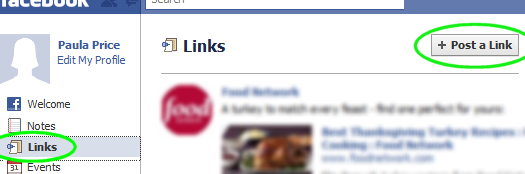
CallMe on FacebookStay in touch with your colleagues and friends through Facebook! Publish your CallMe link through Facebook. Step 1: Log in to your Facebook account and click on the "Post a Link" button
Step 2: Highlight and copy (Ctrl-C) the following URL
http://www.halloo.com/?c=ACCOUNTID&u=USERNAME
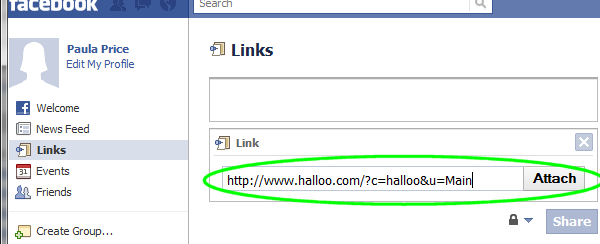
Step 3: Paste (Ctrl-V) the URL into the "Link" box and click on the "Attach" buttonMake sure that the ACCOUNTID and USERNAME are set correctly for your account. Edit
these if necessary. Step 4: Click on the "Share" buttonYou’re done! Your friends and colleagues should now be able to click on that link to call you. They will enter their own phone number into the window, and the Halloo system first call their phone, then call you and join you together. |
|
|
About Us ·
Site Map ·
Privacy Policy ·
About this Site ·
Terms of Service
Copyright © 2003–2012, Halloo Communications, Inc. All rights reserved. |